Action editor
Function picker
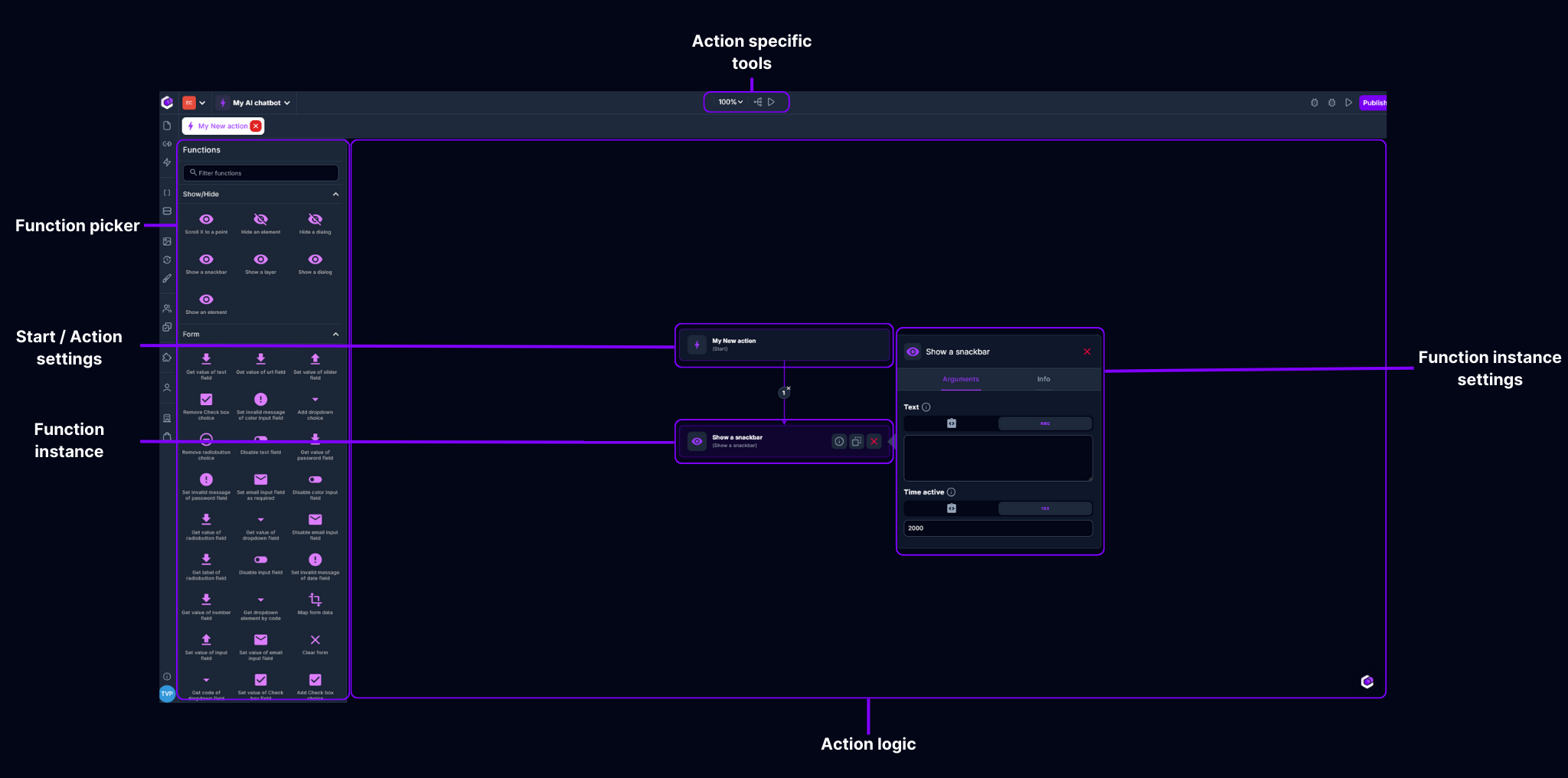
The function picker lets you find the functions you need out of our extensive library of predefined, ready to use functions. Just drag & drop the function you need into place & hook it up with the rest of your logic.
Function instance
A function instance is a certain configuration of a function call. This means that the chosen function will be executed with the defined configuration once the execution reaches this block in its execution path.
Function instance settings
Every function has its unique set of configuration options. You can configure functions by clicking on the "Function instance". This will allow you to configure: name, description, icon, tags, parameters & output.
Start / Action settings
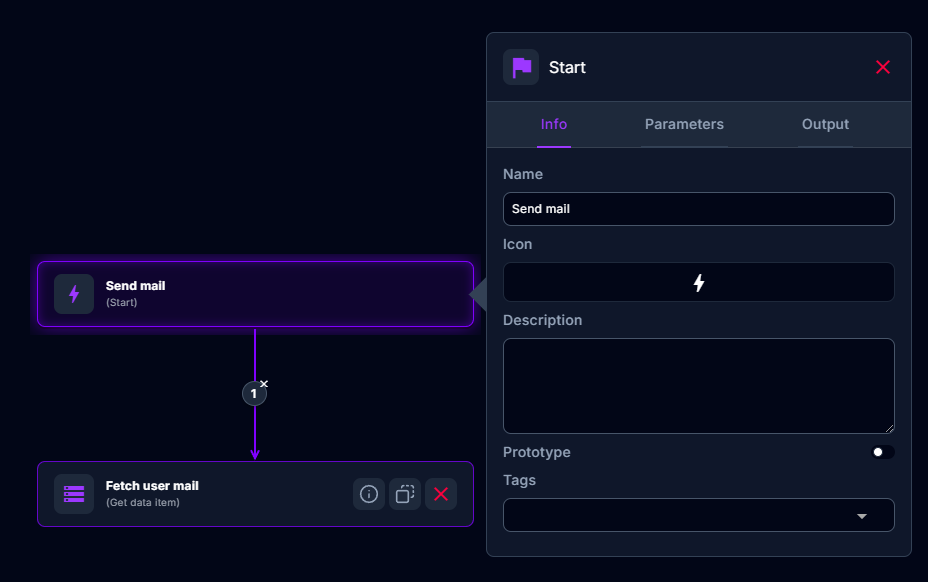
Every action has a start block. This block indicates the start of your logic, all blocks (function instance) linked to this will be executed sequentially. If a function instance cannot be reached from a path starting from the start block, this function instance will never be executed and is in fact a "dead" function instance.
The start block also serves as a way to configure the action that you are creating. By clicking on this block one can configure:
- Action information
- Action parameters
- Action output
Action logic
This entire space can be used to visualize the logic of the action you are creating. This space can be panned by clicking + dragging the mouse & can be zoomed in/out by using the zoom control in the "Action specific tools".
Action specific tools
These tools help you building actions. Possibilities here are: zoom in/out, automatically structure your blocks in a top to bottom manner, create/use tests for your logic.